XNote Stopwatch is a versatile and flexible multifunctional digital stopwatch / countdown timer / clock software for PC. Helpful for timekeepers at sport competitions, time tracking of work, or even as a metronome.
The key features are:
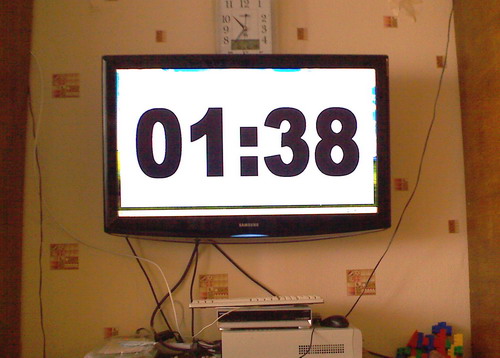
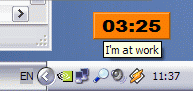
Digital display like handheld stopwatches and clocks. But unlike those XNote Stopwatch can be resized to achieve any dimensions of digits: from fullscreen on a LCD TV (jumbotron) for public presentations like a 'stopclock', to tiny icon on your desktop as a reminder. Along with size, you can adjust colors, font, transparency, etc…
Stopwatch mode and countdown timer mode: When the timer gets to zero, it can sound a warning signal, play an audio file, run an application, and even command external devices!
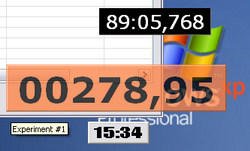
Customization of displayed time: You can eliminate hours, minutes, and/or decimals, pad leading values with zeroes, customize decimals to represent 10, 100 or 1000 of second, 24, 25, 60 TV frames and so on. These changes are lossless and can be carried out at any moment.
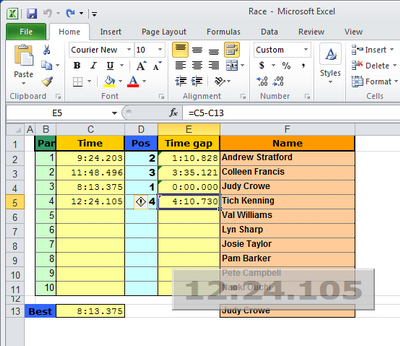
Ability to capture the time at any moment (split time feature). The interval from a previous recorded time is calculated (lap time feature). You may add a comment to each noted time. Finally, the whole list of results can be copied through the clipboard for further processing.
But it is even possible to record the time directly to a MS Excel cellwithout awkward export/import operations!
Ability to set a custom time. This means that you can rewind the stopwatch backward or forward. All displaced results will be deleted.
System-wide, user-redefinable hotkeys: You can start, stop, reset the stopwatch/timer, and snap the time from within any application even if the XNote Stopwatch window is not visible at the moment.
Multiple stopwatches and timers with their own settings and run
independently of each other.
External control through serial COM (RS-232) port: You can start, stop, reset the stopwatch, and snap the time with a simple on/off switch, photocell, and even an RFID-tag reader for accurate timekeeping!
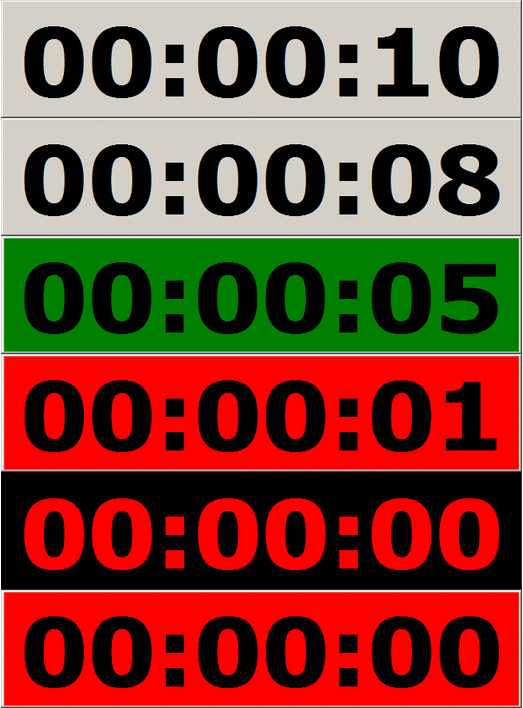
Changing colors and playing warning signals when Timer is almost done.
Despite the variety of features, XNote Stopwatch has a small memory size, low system resource requirements, and fast execution speed!
If those features are not enough for you, special customizations and upgrades are available on-demand.
XNote Stopwatch runs on
Windows XP/Vista/7/8/8.1/10. There are no special requirements for
processor performance and memory capacity. Special hardware is not
required either but optionally you may need either PC's native COM
port or USB to RS-232 adapter along with control device in order to
take advantage of external control.
Download
Standalone/portable software, no installation required.
 along with control device in order to
take advantage of external control.
along with control device in order to
take advantage of external control.